12 thought provoking quotes to inspire gratitude and contentment

I love a good quote.
There’s just something about finding a sentence or phrase that speaks directly to the part of your brain that needed convincing.
So when I see a good quote, something that speaks to me or illuminates a concept that I needed to see more clearly, I take notice and try to capture it somehow.
If you read what I’ve been writing on this site recently, you’ve probably detected a theme: Growth.
I like getting better, building good habits, chasing the next goal, getting fitter, more financially secure, growing my skills and career.
Growth feeds me.
But if I don’t balance what I want in the future with the recognition and gratitude for what I have now, what’s the point?
So, I’m grateful to these people for finding a way of speaking to me, of communicating with the part of my brain that needs the occasional reminder to stop, look around, and be truly grateful for where I am. To be aware of just how little I need, and content with what I have (or less) during my pursuit of the next milestone.
You’ll never have enough if you need to have more than someone else.1
There will always be someone better, richer, stronger, smarter, more successful, and so on. I won’t ever win that game.
Instead, my focus should be on myself, my own standards, and my own pace. What someone else has should be completely irrelevant to my happiness.
He is a wise man who does not grieve for the things which he has not, but rejoices for those which he has.
Epictetus
It’s so easy for us to become preoccupied with what’s next, what’s different, what’s missing … that we neglect to enjoy the here and now.
Take parenting, for example. If I spend all my time being sad that they’re not babies any more (or wishing they were older), I’ll miss the amazing moments that come in the toddler years. And when they’re teenagers, I’ll be sad that the toddler years went by so fast. What a terrible way to live life!
You are watching people go through withdrawal from the emotional addiction to the myth of certainty.
Ashley C Ford
This quote came in the form of a tweet toward the beginning of the COVID-19 pandemic, and it really spoke truth to me.
There is no such thing as certainty. No matter what your vision is for the future, it will almost certainly be different.
Part of the task of becoming emotionally resilient is realizing that we have to evolve to meet the circumstances we’re given. Don’t waste time thinking about things you can’t change. Adapt, adjust, accept the reality of your situation, and take action within that reality.
Happiness is a state of mind
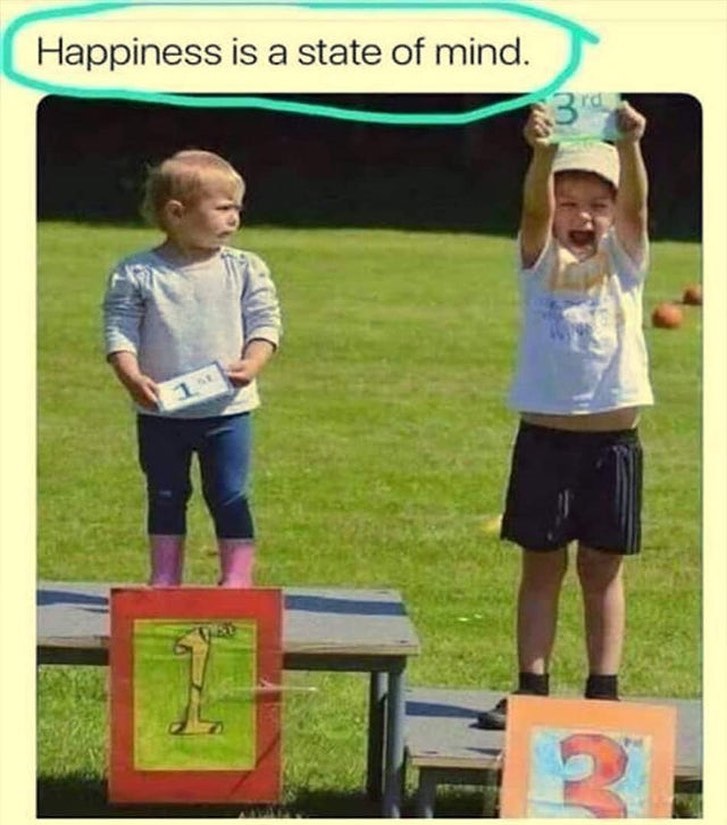
excess ≠ success
Paul Jarvis
If I want to be happy and successful, I won’t find it at the bottom of a pile of stuff, no matter how nice or expensive.
This one pushed me to think … really think … about what makes me happy, and how I define success for myself.
Remember when you wanted what you currently have?
This one hit hard. How easy is it to treat what we have now as a given? To forget that, once upon a time, we dreamed of what we currently have, and might have thought of it only as a dream, a fantasy that we never believed would actually happen.
I want to be mindful of my current position in my timeline, and intentionally recognize how far I’ve come, with gratitude for the people and circumstances that helped make it possible.
If you are ever tempted to look for outside approval, realize that you have compromised your integrity. If you need a witness, be your own.
Epictetus
Repeat this with me: I do not need to meet anyone else’s definition of success!
What makes me happy might be completely different than what makes you happy. We’re different. That’s OK.
Don’t let your progress become pride. Otherwise, you have just traded one set of vices for a new one.
Daily Stoic
I still can’t get over how often I see people go from “I’m learning” to “I’m an expert” online.
I want to share my experiences, but it’s all too easy to cross over from wanting to share something that helped you accomplish something difficult, to bragging about what you accomplished.
Pride is a vice, too.
Whenever you feel like criticizing anyone, just remember that all the people in this world haven’t had the advantages that you’ve had.
F. Scott Fitzgerald , The Great Gatsby
I should regularly take inventory of the circumstantial and relational “shortcuts” that helped me get to where I am. “No man is an island”.
Rather than feel shame or guilt for advantage and privilege, why not adopt a posture of gratitude for them?
The secret of contentment is the realization that life is a gift, not a right.
Martin Luther
Being grateful for every day, every breath, leaves very little room for complaint.
This fundamental perception, that life is a gift, can frame a view of the present moment that emphasizes a deep appreciation for what we have, eclipsing most dissatisfaction over what we lack.
He who is not contented with what he has, would not be contented with what he would like to have.
Socrates
I as I accumulate more life experience and observe people around me, this proves more and more true every day.
People who are content with what they have, be it a little or a lot, manage to stay content as their circumstances improve.
People who are chronically discontent seem to never change, no matter how much their circumstances improve.
It is not our circumstances that create our discontent or contentment. It is us.
Vivian Greene
And finally, this really is the fundamental principal I should constantly revisit.
It’s not my circumstances. It’s me.
It’s not how much money I have. It’s me.
It’s not my family. It’s not my education. It’s not my house. It’s not my job. It’s not a stage of life. It’s not politics or media.
It all starts with me.
If I ever find myself failing to be grateful and content, I need only look within. Can I choose to pay attention the good all around me? Can I recognize the things that bring me joy, and those that rob me of it? Can I pursue happiness for my own sake, and no one else’s?
Ultimately, contentment is a fundamental virtue, and a necessary value. Without it, how can I find any satisfaction with personal growth and achievement?
I hope these quotes help you as much as they did me.
1 I heard this in a YouTube video once, wrote it down, but didn’t save the video URL, unfortunately. Frustrating.